


5
How the top tools compare and which one fits your team best
Quick overview
Leading productivity benchmarking software in 2026 include Time Doctor, ActivTrak, and Insightful.
- Time Doctor focuses on real-time, AI-enhanced benchmarking that reflects how work actually happens across tools and workflows.
- ActivTrak focuses on structured productivity metrics, including focus and collaboration benchmarks.
- Insightful emphasizes internal benchmarking based on your team’s own productivity patterns.
The right choice depends on how you want to compare performance and turn benchmarks into actionable improvements.
In this article, you’ll learn how productivity benchmarking software works, what features actually matter, and which tools can help you compare team performance, spot inefficiencies, and make smarter decisions with confidence.
You have employee productivity data across your teams, but it doesn’t answer the questions that matter.
Why does one team deliver faster than another?
Why does the workload feel uneven?
Where is time actually being lost?
It’s like comparing a marathon runner, a cyclist, and a swimmer using the same standard and expecting consistent results. Each role works differently, so the numbers alone don’t tell the full story.
Even within the same role, the comparison can still be misleading. It’s like expecting two runners to finish at the same time when one runs on a flat road, and the other runs uphill. The conditions are different, so the results won’t be the same.
That’s where productivity benchmarking software comes in. It gives you the clarity to compare teams fairly, understand performance in context, and make decisions with confidence.
Table of Contents
What is productivity benchmarking software?
Productivity benchmarking software refers to tools that help you measure, compare, and improve how work gets done across teams by understanding daily work habits using real performance and benchmark data.
It goes beyond employee time tracking or employee monitoring by connecting time, workflows, and activity into benchmarks that reflect real working conditions.
With this, you can:
- Compare performance across teams using consistent, role-based data
- Identify inefficiencies in workflows, such as delays, rework, tool switching, or time lost to distractions like social media
- Set realistic benchmarks using actual work patterns as a performance baseline
- Improve productivity using data-driven insights, not assumptions
The goal is simple: turn raw activity into clear insights that support informed decisions.
Many tools track activity, but fewer turn that data into meaningful benchmarks you can act on.
The difference becomes clear when you compare how basic tools handle data versus true productivity benchmarking software.
| Basic time trackingtools | Productivity benchmarking software |
| Track time and activity | Create role-based, context-aware productivity benchmarks |
| Show isolated data points | Reveal workflow patterns and trends across teams |
| Apply the same metrics to all roles | Compare performance using role-based and workflow-based benchmarks |
| Compare activity without context | Compare performance fairly across roles and workflows |
| Focus on activity monitoring | Focus on improving performance and decision-making |
| Provide historical or delayed reports | Deliver real-time insights you can act on immediately |
| Require manual interpretation of data | Translate data into clear, actionable insights |
As Harvard Business Review explains in The Balanced Scorecard—Measures that Drive Performance, “no single measure can provide a clear performance target.”
For productivity benchmarking, this means you need more than one metric and more than generic industry standards to evaluate performance accurately.
You need visibility into how work flows across tasks, tools, and workflows, so teams can be compared fairly and improvements can be made with confidence.
How does benchmarking work in practice?
Let’s make this real.
Imagine two teams doing similar work, but one consistently delivers faster results.
Without benchmarking, you only see the outcome. You don’t know why.
With productivity benchmarking connected to real workflows, you start to see what’s actually driving the difference:
- One team spends less time switching between tools
- Tasks move with fewer handoffs and delays
- Focus time is more consistent across the day
- Work habits align better with the demands of the role
Because these insights are based on real work patterns, you can:
- Compare performance fairly using context, not assumptions
- Identify which workflows create better results
- Use that data as a baseline to improve other teams
- Make adjustments while work is still in progress
This is where productivity benchmarking becomes useful.
It stops being a report you review at the end of the week and becomes a system you use to guide decisions, improve workflows, and scale what works across your organization.
1. Actionable visibility into how work happens
You need more than dashboards.
You need to see:
- Where time is spent across tools, laptops, and mobile devices
- Where work slows down
- Where inefficiencies start
This is what actionable visibility delivers.
It gives real-time awareness into how work gets done, so you can address problems before they escalate
2. Real-time insights to act faster
Real-time insights help you see what’s happening as work unfolds.
This allows you to:
- Spot inefficiencies early
- Adjust workloads at the right time
- Improve performance continuously
Strong tools give you the visibility to take action while it still matters.
3. Fair, role-based benchmarking
Each role has its own way of working, so performance should be measured in context.
Effective benchmarking helps you:
- Compare similar roles using relevant key metrics
- Understand what good performance looks like for each function
- Set realistic and fair benchmarks across teams
For example, a support team may handle many short tasks, while a developer focuses on fewer, longer tasks. With role-based benchmarks, each team is measured in a way that reflects how they actually work.
This creates a clearer, more accurate view of performance across your organization.
4. Cross-team comparison at scale
As your organization grows, you need a clear way to understand how different teams perform.
This means being able to:
- Compare teams across locations, departments, or functions
- See how different workflows, tools, and integrations affect productivity across desktop and mobile environments.
- Identify what works well and apply it across the organization
For example, you might find that one team completes tasks faster because of a more efficient process.
This helps you build consistency, improve performance, and scale what works with confidence.
5. Trust-first experience
The best tools create transparency and clarity around how work gets done.
They help teams:
- Understand their own work patterns
- Stay focused and manage their time better
- Improve performance with clear, shared insights
This creates an environment where people feel supported, take ownership of their work, and perform at their best.
Once you know what to look for, the next step is choosing a tool that actually delivers on these areas.
Below is a focused comparison of workforce analytics platforms that support productivity benchmarking, helping you evaluate how each tool measures performance, applies benchmarks, and supports real-world decision-making.
Productivity benchmarking software comparison (2026)
Here’s a side-by-side comparison of workforce analytics platforms that support productivity benchmarking and performance insights.
| Tool | Core positioning | Productivity benchmarking approach | Real-time visibility | Pricing | Best fit |
| Time Doctor | Workforce analytics platform with AI-enhanced insights | Benchmarking based on observed work patterns across teams, roles, and workflows | Yes | Starts at ~$6.70/user/month (Basic) ~$11.70 (Standard) ~$16.70 (Premium with Benchmarks AI) |
Operations leaders, HR leaders, executives, IT teams |
| ActivTrak | Workforce analytics and intelligence platform | Benchmarking based on productivity, focus, and collaboration metrics using internal data and aggregated benchmarks | Yes | Free plan available Paid plans start at ~$10/user/month ~$15–$19 for advanced plans |
Operations leaders, HR leaders, executives |
| Insightful | Workforce intelligence platform | Benchmarking through internal comparisons and contextual interpretation of productivity data | Yes | Starts at ~$6.40/user/month ~$8–$12 for advanced featuresCustom pricing for enterprise |
Operations leaders, HR leaders |
There are many tools that track time or monitor activity, but few are designed to support meaningful productivity benchmarking.
To keep this comparison focused, we’re looking at three workforce analytics platforms that support benchmarking. This makes it easier to compare performance, identify inefficiencies, and improve how work gets done.
Here’s how each platform approaches productivity benchmarking in practice.
1. Time Doctor

Time Doctor is a workforce analytics platform that gives you clear visibility into how work gets done across your teams.
It uses AI-enhanced insights to help you benchmark performance using real workflows and relevant peer comparisons.
It connects daily activity across tools and APIs, using real-world datasets to create benchmarks based on how work actually happens.
This gives you a clear view of where time goes, how work flows, and where performance can improve.
For example, with Time Doctor you can:
- Compare productivity across teams using consistent, role-based benchmarks
- See how time is spent across tasks, apps, and workflows
- Identify inefficiencies like idle time, rework, or tool switching
- Spot workload imbalances and early signs of burnout
With Time Doctor, benchmarking is built on real-time activity and workflow patterns, making it easier to spot inefficiencies like delays, tool switching, or uneven workloads as they happen.
This helps leaders take action faster using data-driven insights while maintaining transparency and trust across the organization.
2. ActivTrak
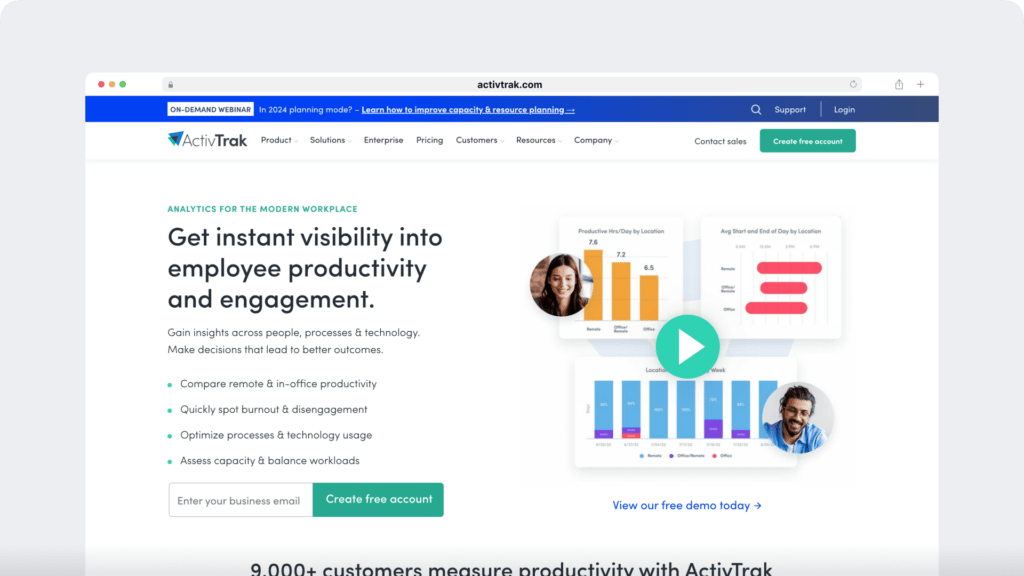
ActivTrak approaches productivity benchmarking through structured productivity metrics.
It focuses on measuring:
- Productive time
- Focus time
- Collaboration time
These metrics are compared using internal data and aggregated benchmarks, which can help teams understand how their performance aligns with broader benchmark ranges.
For example, you can:
- Compare your team’s productivity against benchmark ranges
- Set goals based on focus and collaboration patterns
- Use data to support workforce planning and optimization
This approach works well for organizations that prefer using defined metrics and benchmark ranges to guide analysis and decision-making.
3. Insightful

Insightful focuses on understanding productivity within your organization.
Rather than relying heavily on fixed benchmark ranges, it emphasizes interpreting productivity data based on your workflows, roles, and work environment.
For example, you can:
- Compare performance across teams using internal data
- Analyze how work patterns vary across roles or environments
- Use productivity trends to guide gradual improvements
This approach gives teams flexibility in how they apply benchmarking, especially when work patterns vary across departments or roles.
Which benchmarking tool fits your team best?
All three platforms support productivity benchmarking, but they differ in how benchmarking is applied in day-to-day work.
In practice, this affects how quickly you can identify issues, apply benchmarks, and improve performance across teams.
- Choose Time Doctor if you want productivity benchmarking that reflects how work actually happens across tasks, tools, and workflows, so you can identify inefficiencies early, compare teams fairly, and improve performance as work unfolds
- Choose ActivTrak if you prefer benchmarking based on structured productivity, focus, and collaboration metrics, using benchmark ranges to support analysis, planning, and goal setting
- Choose Insightful if you want to evaluate productivity within your own context, using internal comparisons and trends to guide gradual improvements over time
How productivity benchmarking improves performance
Let’s make it practical.
Imagine your team spends 10 hours each week resolving delays.
With the right benchmarking approach, you don’t just see what happened—you see how work is unfolding in real time.
You can quickly identify:
- Which workflow is causing the most delays
- Where time is lost, such as frequent tool switching
- Which team is consistently using a more efficient process
Because these insights reflect actual work patterns, you can act while work is still in progress.
Now you can:
- Standardize what works across teams
- Reduce wasted effort
- Rebalance workloads before issues grow
- Improve output without increasing workload
This is where productivity benchmarking moves beyond tracking and starts driving real performance improvements.
To achieve this, the tool you choose plays a critical role. Before deciding, ask:
- Can this tool benchmark performance fairly across teams, roles, and workflows?
- Does it show where inefficiencies actually happen, not just track activity?
- Can you act on insights while work is still in progress?
- Will your team trust the level of visibility it provides?
- Can it support consistent performance as your operations scale?
If the answer is unclear, it may be worth choosing a solution that connects benchmarking with real-time visibility and actionable insights.
A common mistake buyers make
Many teams choose tools based on tracking features alone, assuming more data will automatically lead to better performance.
At first, everything looks clear. Dashboards are full, reports are easy to generate, and activity is visible.
But over time, gaps start to show.
Teams begin to notice:
The issue isn’t a lack of data. It’s a lack of actionable visibility.
When benchmarking isn’t connected to real work patterns, teams can see activity but struggle to improve outcomes.
To move forward, teams need a way to connect daily work with clear, real-time benchmarks, so they can identify inefficiencies early, compare performance in context, and take action while work is still in progress.
Platforms like Time Doctor, which combine workforce analytics with real-time benchmarking, are designed to support this shift by turning day-to-day activity into insights teams can actually use.
Why teams choose Time Doctor
Productivity benchmarking only works when comparisons are fair, relevant, and based on how work actually gets done.
Time Doctor is a workforce analytics platform that supports a trust-first approach by providing clear visibility into how work gets done, by turning day-to-day activity into clear, actionable benchmarks.
Instead of relying on generic averages or job titles, Time Doctor uses AI to compare teams based on how they actually work, including their tools, workflows, and activity patterns.
This means your benchmarks reflect real working conditions, not assumptions.
With this approach, you can:
- Compare team performance using AI-matched benchmarks, so you are measuring similar work, not just similar titles.
- Identify performance gaps using percentile ranges and real activity data, helping you see where teams fall behind or excel.
- Understand how time, tools, and workflows influence productivity, not just how long people work.
- Detect early signals such as unusual activity, workload shifts, or inefficiencies before they impact performance.
- Apply consistent benchmarking across remote, hybrid, and in-office teams using a shared, data-driven standard.
For example, instead of comparing two teams with the same role title, you can compare teams based on the actual tools they use and how their work flows, making benchmarking more accurate and actionable.
Because benchmarks are continuously updated and grounded in real work patterns, you can use them to guide coaching, improve workflows, and make faster, more confident decisions.
This approach helps turn productivity benchmarking into a practical system for improving performance, not just measuring activity.
Final thoughts
You already have data.
But are you measuring performance fairly across your teams, or applying the same standard to work that is fundamentally different?
The right productivity benchmarking software doesn’t just measure activity. It helps you:
- Compare teams based on how they actually work
- Understand performance in context, not just numbers
- Improve workflows using benchmarks that reflect real conditions
- Scale operations without losing fairness and consistency
Because when benchmarking is done right, performance becomes clearer, decisions become easier, and teams feel supported, not judged.
If you could measure productivity in a way that truly reflects how your teams work, what would change?
View a demo to standardize productivity benchmarking and uncover inefficiencies before they impact performance.
***Pricing and feature details are based on publicly available information as of April 2026 and may change over time. Actual pricing, features, and availability may vary depending on plan selection, billing terms, product updates, and organization-specific requirements.
Frequently asked questions (FAQs)
Leading productivity benchmarking software in 2026 include Time Doctor, ActivTrak, and Insightful.
Each platform approaches benchmarking differently. Some focus on structured productivity metrics, while others provide real-time visibility into how work actually happens.
For teams that want benchmarks based on actual workflows and actionable insights, Time Doctor provides a practical approach to comparing performance and identifying opportunities to improve results in real time.
Productivity benchmarks are standards used to compare how work gets done across teams, roles, or workflows.
They help organizations understand what “good performance” looks like based on real data, making it easier to identify inefficiencies and improve how work flows across the business.
You can measure improvement by comparing current performance against benchmarks over time.
This includes tracking:
• Productivity across teams
• Focus time and workflow efficiency
• Delays, rework, or idle time
When benchmarking reflects real work patterns, it becomes easier to see whether changes are actually improving performance. Platforms that provide real-time visibility, such as Time Doctor, help teams track these improvements as they happen.
Focus time depends on the type of work and role.
For example:
• Developers or engineers often need longer uninterrupted focus periods
• Support teams handle shorter, more frequent tasks
Effective benchmarking compares focus time within similar roles, so performance is measured fairly based on how work actually happens.
Yes, most productivity benchmarking software allows benchmarks to be included in dashboards and reports.
This helps teams:
• Track performance in real time
• Compare results across teams
• Monitor trends over time
Tools that combine benchmarking with real-time reporting, like Time Doctor, make it easier to turn insights into immediate actions.
Productivity benchmarks provide a clear reference point for evaluating performance.
They help leaders:
• Identify inefficiencies across workflows
• Compare teams objectively
• Prioritize improvements based on real data
When benchmarks are connected to real-time visibility, teams can act faster and make more confident decisions. This is where platforms like Time Doctor help bridge the gap between insight and action.
The most effective tools include:
• Real-time visibility into how work happens
• Role-based benchmarking for fair comparisons
• Productivity analytics across tasks, tools, and workflows
• Insights that highlight inefficiencies and enable automation of improvements
• Reporting and dashboards for performance tracking
Platforms that combine these capabilities in one system, such as Time Doctor, make it easier to move from tracking activity to improving performance.
Small businesses benefit from tools that are easy to use while still providing meaningful insights.
Platforms like Time Doctor, ActivTrak, and Insightful offer different approaches depending on your needs, whether you prioritize real-time visibility, structured metrics, or internal comparisons.
The right choice depends on how your team works and how you want to apply benchmarks to improve performance.
Accurate productivity benchmarks ensure decisions are based on real performance data rather than assumptions.
When benchmarks reflect actual workflows, teams can:
• Identify what is working
• Detect inefficiencies early
• Improve performance with confidence
Without reliable benchmarks, it becomes harder to evaluate performance consistently across teams.
Workforce analytics focuses on understanding how work happens by analyzing time, tools, and workflows across teams.
Productivity benchmarking builds on this by comparing performance and identifying gaps.
Platforms like Time Doctor bring both together, helping you understand how work happens and how to improve it using consistent, data-driven benchmarks.
Benchmarking AI uses machine learning to compare performance based on real work patterns instead of static metrics.
It analyzes workflows, tools, and activity data to create more accurate and fair benchmarks.
For example, Time Doctor’s Benchmarks AI compares teams based on how they actually work, helping ensure performance is evaluated in the right context and improvements are based on real data.
Productivity benchmarking improves performance by showing where time is spent and where work slows down.
This allows teams to:
• Standardize best practices
• Reduce inefficiencies
• Rebalance workloads
• Improve output without increasing effort
When these insights are available in real time, tools like Time Doctor help teams act early and maintain consistent performance across workflows.

Carlo Borja is the Content Marketing Manager of Time Doctor, a workforce analytics software for distributed teams. He is a remote work advocate, a father and an avid coffee drinker.